Genspark AI Workspace 3.0 — introducing Genspark Claw, the world's first dedicated AI employee
After testing Genspark Workspace 3.0 across affiliate campaigns, email management, and meeting automation, this guide breaks down every feature — what works brilliantly, how to get started in minutes, and why this update matters more than any previous AI workspace release.
🤖 What Is Genspark AI Workspace 3.0?
Genspark AI Workspace 3.0 is not just another software update. It marks a category shift from "you working with AI" to "AI working for you."
Earlier versions (1.0 and 2.0) gave users powerful AI tools to speed up daily work. Version 3.0 flips that model entirely. Now, you assign outcomes and an AI-powered virtual assistant carries out every step — returning finished results, not rough drafts.
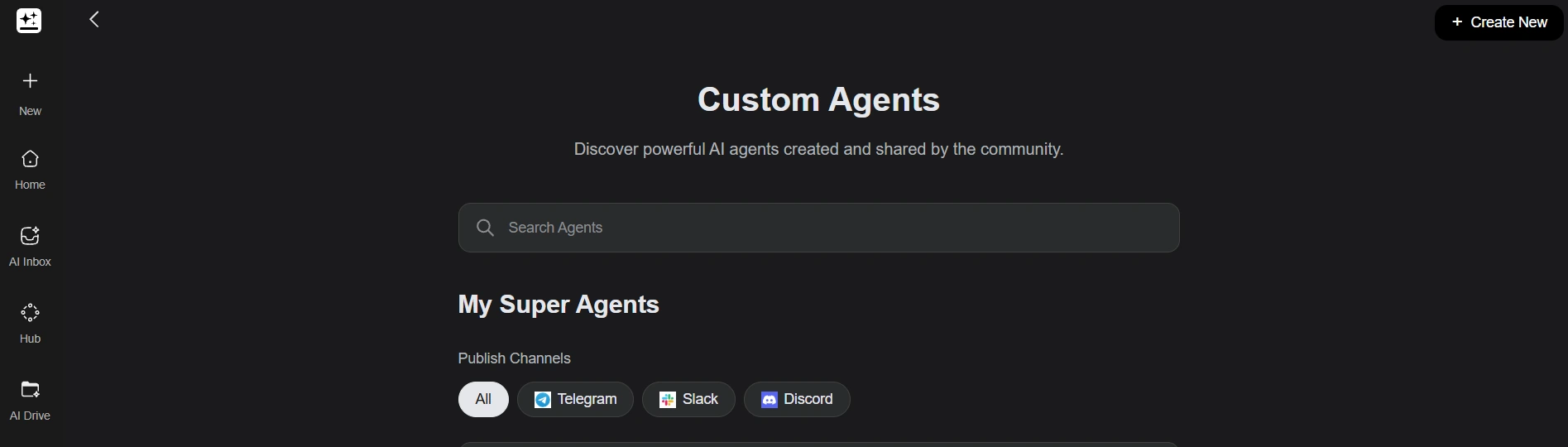
Genspark Workspace 3.0 centres around the Super Agent — an autonomous AI that executes complete workflows
Workspace 3.0 is built on cloud infrastructure with frontier AI models including Microsoft Azure, Anthropic (Opus 4.6), OpenAI (GPT-5.4), and NVIDIA Nemotron 3 Super — giving Claw access to best-in-class reasoning for every task.
| 🚀 Launch | March 2026 — Workspace 3.0 + Genspark Claw |
| 💰 Valuation | ~$1.6 Billion (Series B at $385M) |
| 📈 ARR | $200M+ in 11 months |
| 🤖 AI Models | Azure, Anthropic Opus 4.6, GPT-5.4, NVIDIA Nemotron 3 |
| 📱 Messaging | WhatsApp, Telegram, Slack, Microsoft Teams |
| 🔗 Integrations | 20+ apps (Google Workspace, Slack, Notion, Salesforce, X) |
| 🔒 Privacy | Dedicated cloud instance per user — "Privacy by Isolation" |
| 💵 Starting Price | Free (100–200 daily credits, no card required) |
🦾 Genspark Claw: Your Personal AI Employee
Genspark Claw is the star feature of Workspace 3.0. Think of it as a personal AI assistant that lives inside your own dedicated cloud computer — and actually does work, not just talks about it.
You message Claw through WhatsApp, Telegram, Slack, or Microsoft Teams. It then completes multi-step tasks entirely on your behalf — without you needing to switch apps or supervise each step.
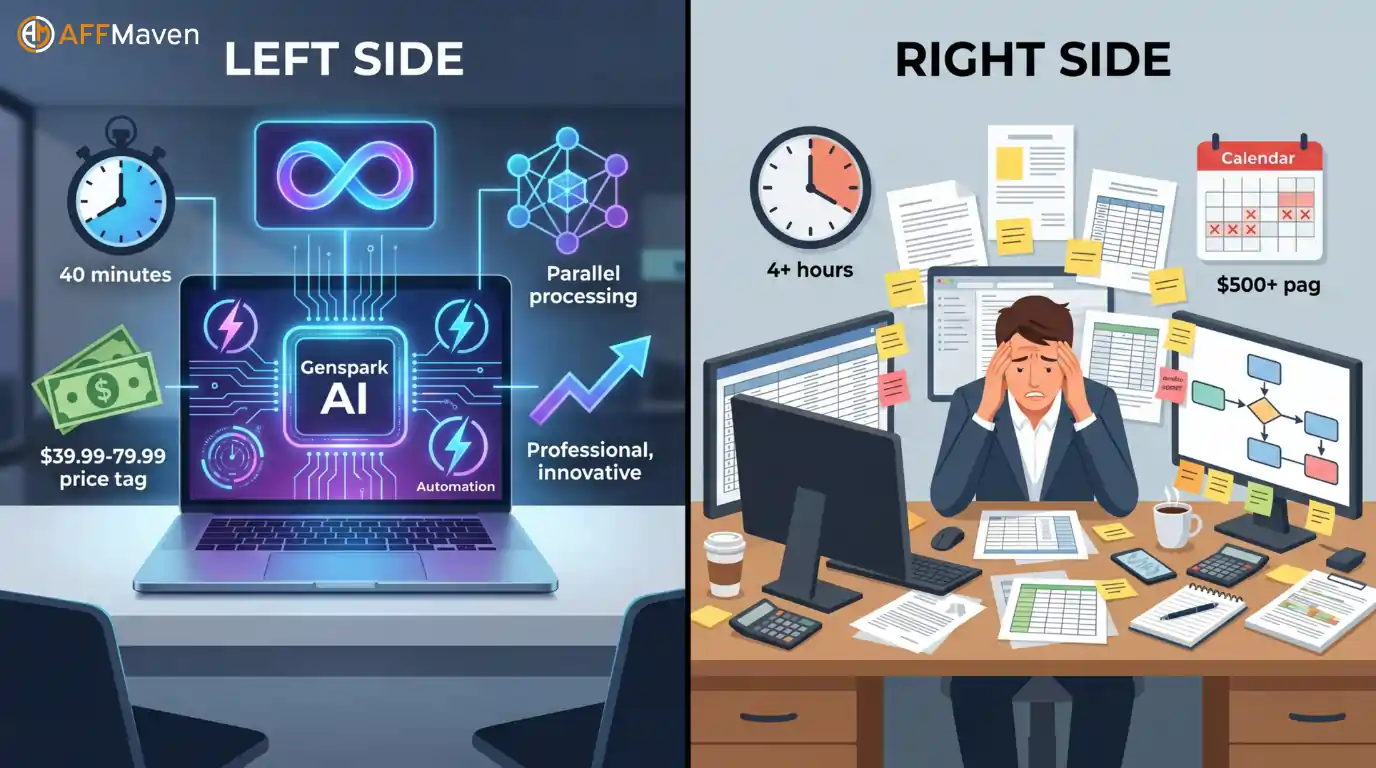
Genspark Claw handles repetitive tasks autonomously — dramatically cutting time spent on manual workflows
What Claw Can Do For You
- Research topics and compile detailed, cited reports
- Draft client-ready emails, updates, and outreach sequences
- Schedule meetings and send automatic follow-ups
- Manage inbound messages across multiple platforms simultaneously
- Deploy code and log outputs to the correct Slack channel
- Track sales pipelines and generate performance reports
- Post scheduled content across social media platforms
- Update spreadsheets and sync data between tools automatically
🤖 Your First AI Employee — Free to Try
Start with Genspark Claw today. Free plan includes 100–200 daily credits. No credit card needed.
▶️ Official Workspace 3.0 Introduction Video
Watch the official Genspark walkthrough of Workspace 3.0 and see Claw in action — handling real tasks across real apps in real time.
Official Genspark video: introducing Workspace 3.0 and Genspark Claw (March 2026)
☁️ Genspark Cloud Computer: Privacy Built In
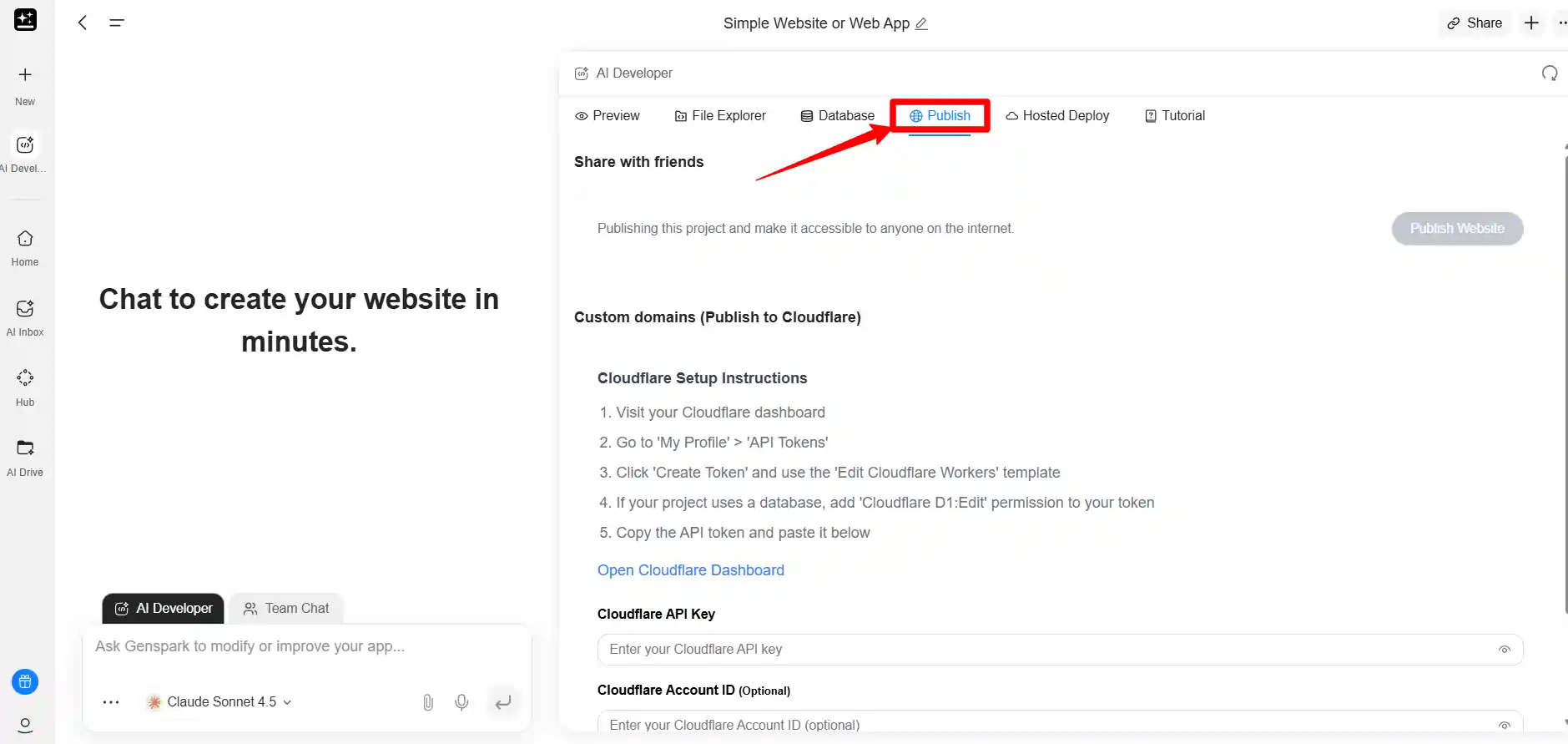
Genspark Cloud Computer runs all tasks in an isolated, privacy-first environment — no data stored on personal devices
Every Genspark user gets a dedicated cloud computer for AI tasks. Claw comes pre-installed and is ready to go in one click — no technical setup required.
Your data stays on your own cloud instance. It is never mixed with another user's data. Genspark calls this model "privacy by isolation" — and it matters more than most AI tools acknowledge.
Dedicated Cloud Instance
Your data never touches another user's environment. Each Genspark account gets its own isolated cloud computer — not a shared server with hundreds of other users running on it.
One-Click Setup
No technical configuration, no DevOps knowledge required. Your Cloud Computer spins up automatically when you sign up. Claw is pre-installed and ready to receive your first task immediately.
Granular Permission Controls
You decide exactly what Claw can and cannot access. Need it on Slack but not on email? Done. Reading your CRM but not your personal calendar? You set those permission rules precisely.
| Feature | What It Means for You |
| 🛡️ Dedicated cloud instance | Your data is isolated from all other users |
| ⚡ One-click setup | No technical configuration needed |
| 🤖 Claw pre-installed | Start delegating tasks immediately on signup |
| 🎛️ Permission controls | You decide what Claw can and cannot access |
| 🌙 Always-on environment | Claw works even when you are offline or asleep |
⚡ Genspark Workflows: Automate Repetitive Tasks
If you run affiliate campaigns, you know how much time disappears into repetitive work — updating spreadsheets, posting to social channels, syncing data between platforms.
Genspark Workflows solves exactly that. You can automate tasks across roughly 20 apps using pre-built templates or fully custom flows.
Supported Integrations
- Google Workspace (Sheets, Docs, Gmail, Calendar)
- Outlook and Microsoft Teams
- Slack and Notion
- Salesforce CRM
- X (formerly Twitter)
- WhatsApp and Telegram
- GitHub and code deployment tools
- + more platforms added regularly
Genspark Workflows connects to Gmail, Drive, Slack, and 80+ tools to automate repetitive tasks
💬 Genspark Teams: Free Slack Alternative
Genspark built a full messaging experience from scratch. It works like Slack — but costs absolutely nothing.
You get direct messaging, group chats and organisation-level member search, all built into your AI workspace. No paywalls. No feature gating on basic messaging. Just clean, simple team communication.
Why Teams Wins
- ✅ Completely free — no subscription needed
- ✅ Direct messages and group channels
- ✅ Organisation-level member search
- ✅ Integrated directly into your AI workspace
- ✅ Claw receives tasks via chat natively
Things to Note
- ⚠️ Newer platform, fewer third-party integrations
- ⚠️ Advanced Slack-style apps not yet available
- ⚠️ Best suited for teams already using Genspark
- ⚠️ Some legacy tools may prefer existing Slack setup
📋 AI Meeting Bots: Meetings That Attend Themselves
Hate sitting through hour-long calls just to capture three key action items? Genspark's AI meeting assistant bots handle that entirely for you.
Dedicated bots join your scheduled meetings automatically. They capture discussions in real time, organise notes neatly, and send polished summaries to all participants afterwards.
Automatic Meeting Attendance
Configure the bot once and it joins every scheduled call in your calendar — Google Meet, Zoom, Microsoft Teams. You never need to manually start a recording or take notes again.
Real-Time Note Organisation
AI structures your meeting notes into action items, decisions, and key takeaways — not a raw transcript. Polished summaries reach all participants within minutes of the call ending.
🎙️ Speakly: Voice Dictation With AI Editing
Speakly is a companion app available on both iOS and Android. It turns voice input into polished text using AI-powered dictation.
Speak → Transcribe → AI Polish
You speak naturally. Speakly transcribes accurately. AI then edits and refines your words into clean, professional copy — ready to paste into any app on your phone.
It works across every app on your phone. Draft blog posts while walking, reply to client emails while commuting, or jot down campaign notes without ever touching a keyboard.
🌐 Genspark Chrome Extension: AI Inside Your Browser
A sidebar assistant that understands webpage context sits right inside Chrome. It helps you execute tasks and trigger workflows without ever leaving your current browser tab.
- Summarise competitor landing pages instantly
- Break down affiliate programme terms in plain language
- Trigger Claw workflows from any webpage
- Research products without switching tabs
- Draft replies based on email content you're reading
⚔️ How Genspark Claw Compares to Typical AI Agents
Unlike standalone chatbots, Genspark Claw operates across real interfaces and applications. It does not just generate text — it takes actual action on your behalf.
| Capability | Genspark Claw ⚡ | Typical AI Chatbot |
|---|---|---|
| Multi-app execution | ✅ Yes — acts across real apps | ❌ No |
| Dedicated cloud computer | ✅ Yes — your own instance | ❌ No |
| Messaging app integration | ✅ WhatsApp, Slack, Teams, Telegram | ❌ Limited or none |
| Workflow automation | ✅ 20+ app integrations | ❌ Manual setup required |
| Privacy isolation | ✅ Dedicated instance per user | ❌ Shared infrastructure |
| Voice commands | ✅ Real-time voice support (Speakly) | ❌ Text only (mostly) |
| Meeting attendance | ✅ AI bot joins & summarises | ❌ Not available |
| Works while offline | ✅ Always-on cloud environment | ❌ Session-based only |
📈 Why Affiliate Marketers Need Workspace 3.0
Marketing demands speed, consistency, and smooth multi-platform management. Genspark Workspace 3.0 addresses all three areas more effectively than any single-purpose tool.

Genspark Workspace 3.0 covers every stage of an affiliate marketing workflow — from research to reporting
Affiliate Workflow: Before vs After Claw
Content Research & Creation
Ask Claw to research a product niche, scrape top competitor articles, outline a comparison piece, and draft an email nurture sequence — all from one message in WhatsApp or Slack.
Campaign Management
Set up Workflows to automatically sync conversion data between your ad tracker, Google Sheets, and CRM. Every sale triggers instant Slack notifications and daily performance reports without manual intervention.
Team Coordination
Use Genspark Teams as a zero-cost Slack alternative for your content writers, VA team, and mastermind group. Claw is natively integrated so task delegation happens in the same chat.
Client & Partner Reporting
Meeting bots capture every ad network call, brand partner review, and agency check-in. Polished summaries and action items land in your inbox automatically — no manual note-taking.
On-the-Go Productivity
Speakly converts voice notes into polished campaign briefs while commuting. The Chrome extension helps you analyse landing pages and trigger Claw workflows without leaving your browser tab.
💰 Genspark Workspace 3.0 Pricing
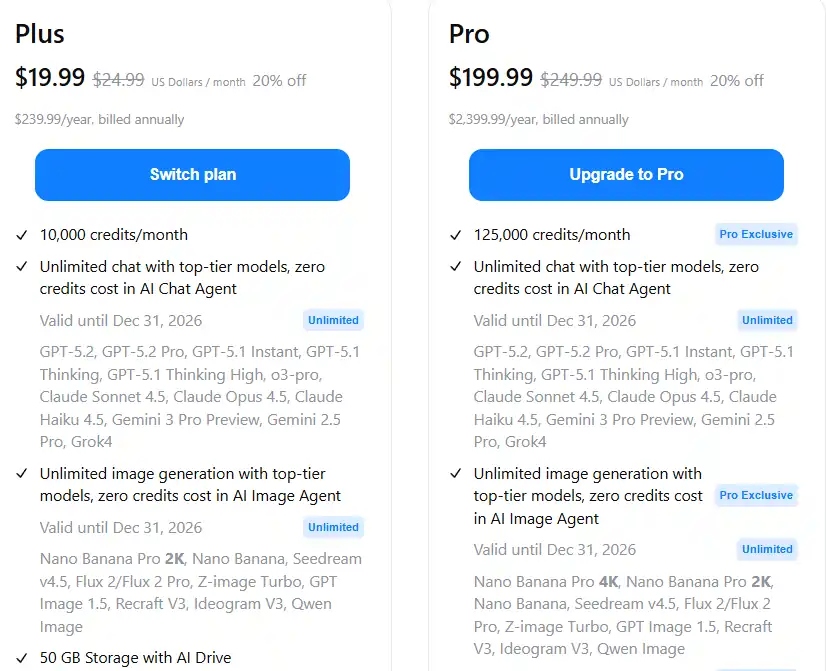
Genspark Workspace 3.0 is available on all plans — Free for basics, Plus ($19.99/mo), Pro ($199.99/mo annual)
Genspark offers three plans suited to different user needs and budgets. Annual billing saves 20% — that is up to $600/year on the Pro plan.
- ✓ Unlimited chat (with model limits)
- ✓ Access to Genspark Claw (basic)
- ✓ Genspark Teams messaging
- ✓ Unlimited chat (GPT-5.4, Claude, Gemini)
- ✓ Full Claw access + Workflows
- ✓ Meeting bots + Speakly
- ✓ Chrome extension included
- ✓ Everything in Plus
- ✓ 1TB AI Drive storage
- ✓ AI Calling + AI Developer
- ✓ Priority queue + team workspace
🏁 Step-by-Step: Getting Started With Genspark Claw
Setting up takes less than 10 minutes. Here is the exact process to go from zero to your first completed AI task.
Create Your Free Genspark Account
Visit genspark.ai and click "Sign Up Free." Use Google SSO for the fastest setup. No credit card required for the free plan. Your Cloud Computer spins up automatically within 60 seconds of registration.
Connect Your Messaging Apps
Go to Settings → Claw Integrations. Connect Slack, WhatsApp, Telegram, or Microsoft Teams — whichever you use for daily communication. Claw will now receive and send messages through these apps on your behalf.
Set Your Permission Rules
In Claw Settings, configure exactly which apps and data sources Claw can access. Start conservatively — give it access to your primary work Slack workspace and one email inbox. Expand permissions as trust builds.
Send Claw Your First Task
Message Claw via Slack or WhatsApp: "Research [product/niche] and give me a 5-point outline for a comparison article." Watch it complete the full research task, compile sources, and return a structured outline — typically in 3–7 minutes.
Build Your First Workflow
Go to Workflows → New Workflow. Choose a pre-built template (e.g., "New Lead → Slack Notification → Google Sheet Update") or build custom. Connect your apps using the visual drag-and-drop builder. Set triggers and activate.
Activate Meeting Bot
In Settings → Meeting Bot, connect your Google Calendar or Outlook. Enable auto-join for future meetings. The bot will attend, transcribe, and summarise automatically — sending notes to you and all participants post-call.
Install Speakly + Chrome Extension
Download Speakly from the App Store or Google Play. Install the Genspark Chrome extension from the Chrome Web Store. Both connect to your account automatically and are ready to use immediately.
🎬 See Genspark in Action: Full Workspace Demo
Genspark AI Workspace full product demo — see the Super Agent, workflows, and collaboration tools in action
✅ Genspark Workspace 3.0: Pros & Cons
Pros
- ✅ First true AI "employee" — not just a chatbot
- ✅ Works across WhatsApp, Slack, Teams, Telegram
- ✅ Dedicated cloud computer per user
- ✅ Privacy by isolation — data never mixed
- ✅ 20+ pre-built workflow integrations
- ✅ Free team messaging (no Slack costs)
- ✅ Meeting bots save hours weekly
- ✅ Speakly accelerates content creation
- ✅ Free plan available, no card needed
- ✅ Built on GPT-5.4, Claude Opus 4.6, Gemini
Cons
- ⚠️ Pro plan at $200/month is enterprise-level spend
- ⚠️ Claw still learning edge cases for complex tasks
- ⚠️ Workflows limited to ~20 apps currently
- ⚠️ Teams feature lacks advanced Slack app ecosystem
- ⚠️ Setup requires initial permission configuration
- ⚠️ Free plan limits mean heavy users need Plus quickly
🏆 Final Verdict: Is Workspace 3.0 Worth It?
The First AI That Works For You, Not Just With You
Genspark AI Workspace 3.0 is the most significant AI product launch for marketers in 2026. The shift from AI assistant to AI employee is not marketing language — Claw genuinely executes tasks across your real work environment autonomously.
For affiliate marketers juggling multiple campaigns, platforms, and client relationships, Workspace 3.0 delivers something genuinely new: an always-on AI employee that handles the repetitive, time-consuming work so you focus on strategy and revenue.
The free plan is generous enough to test everything. The Plus plan at $20/month pays for itself within the first week if your time has any value at all. The Pro plan is for agencies and power users who need maximum credits and team features.
If you are not using Genspark Claw in your workflow by the end of this month, your competitors probably will be. 🔥